Search Code Violations
Search Code Violations
Use the Miami Shores Village CSS Portal to search existing Code Compliance cases by address, case number, parcel number, owner name, or violation keyword.
Miami Shores Village provides an online CSS Portal where residents, property owners, real estate professionals, and other interested parties can search for existing Code Compliance cases. The portal may show public case information such as the violation type, case number, property address, reported date, current status, inspection activity, notes, and available payment information.
Important: The CSS Portal may refer to these records as Code Case or Code Enforcement records. For Miami Shores Village, these records are handled by the Code Compliance Department.
How to Search for a Code Violation
- Select Open the CSS Portal. The portal will open in a new browser tab.
- At the top of the portal, select Search. You may also see the Public Information search section on the page.
- In the dropdown next to Search, select Code Case.
- In the search field labeled Search public records with keywords or addresses, enter the property address, case number, parcel number, owner name, or violation keyword.
- Leave Exact Phrase checked when searching for a full address, exact case number, or specific phrase. If you do not receive results, try unchecking Exact Phrase and search again using fewer words.
- Select Search to display matching records.
- Review the results and open the correct record. Always verify the property address and case number before relying on the record details or making a payment.
- If too many records appear, select Advanced to narrow the search using additional filters, if available.
Recommended Search Tips
Searching by address is usually the easiest option. Start broad, then narrow the search if needed.
- Use the street number and street name first.
- Try searching with and without street suffixes such as Avenue, Street, Drive, Court, or Terrace.
- Avoid punctuation, extra symbols, or unnecessary words.
- If no results appear, remove apartment or unit numbers and search again.
- If you know the case number, search by the exact case number first.
Examples of What You Can Search
Property Address
Search by the property address related to the possible violation or code case.
Case Number
Search by the code case number shown on a notice, letter, invoice, or other Village correspondence.
Keyword or Violation Type
Search by a keyword related to the violation, such as property maintenance, overgrowth, signage, or similar terms.
Payments and Outstanding Balances
Some code case records may include fees, fines, invoices, or payment options. The portal may display these options under Code Enforcement Payments or within the individual case record.
Before submitting a payment, confirm that the record belongs to the correct property and that the case number matches the notice, invoice, or correspondence you received from the Village. If you are unsure whether a balance is correct, contact Code Compliance before making a payment.
What Information May Be Available
Case Details
Violation type, case number, property address, reported date, and current case status.
Inspection Activity
Inspection dates, inspector notes, correction status, and related case activity when available.
Financial Information
Available fees, fines, invoices, balances, or payment options associated with the code case.
Need Assistance?
If you need help searching for a code case, confirming a case status, or understanding payment information, contact the Miami Shores Village Code Compliance Department.
Email: CodeCompliance@msvfl.gov
Phone: 305-762-4862
Address: 10050 NE 2nd Avenue, Miami Shores, FL 33138
Note: This page is for searching existing Code Compliance records. To report a new suspected code violation, use the Report a New Code Violation page or contact Code Compliance directly.
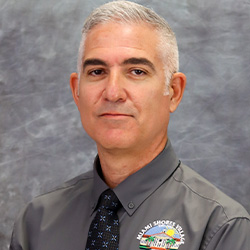
Michel Orta
Code Compliance Manager
OrtaM@msvfl.gov